Free With Any Repair · San Diego
iPhone Diagnostics: Find The Real Fault
Green lines, ghost touch, a battery that drains fast, a dead charging port, no sound on calls, Face ID not available, or stuck on the Apple logo? Find your symptom below to see what it means, what usually causes it, and how we fix it. Then book an appointment to set up a proper bench test.
Free Diagnostics With Any Repair$35 Diagnostic OnlyLifetime workmanship warranty; parts warranty by tier
In San Diego? Tap Book at the top. Walk-ins by call or text first.
📱Screen Issues: Green Lines, Ghost Touch And No Display
What It Means
Colored lines, black ink spots, a screen that taps by itself (ghost touch), or a black screen while the phone still rings or vibrates.
Likely Causes
- Cracked or pressure-damaged inner panel, even when the top glass looks fine
- Damaged display flex cable or connector after a drop
- Liquid under the screen, or a lower-quality replacement screen failing
- Rarely: the touch or display circuit on the logic board
The Fix
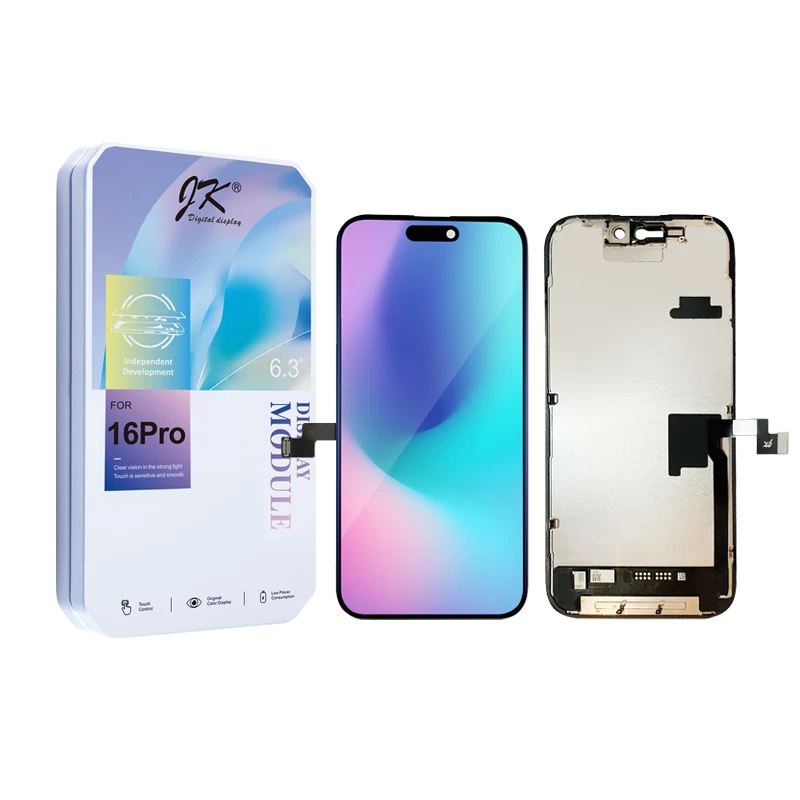
We prove the fault with a known-good test display before replacing anything. The fix is a display assembly replacement in Budget, Economy, Standard or Premium grade. Before and after, we check touch across the full panel, multitouch, brightness, the proximity and ambient light sensors, True Tone and Face ID. On iPhone 12 and later, we run Repair Assistant after the swap.
🔋Battery Draining Fast, Shutting Off Or Swelling
What It Means
The battery percentage drops quickly, the phone shuts off at 20–30%, an "Important Battery Message" or "Service" warning shows up, or the screen is lifting away from the frame.
Likely Causes
- Worn-out battery (lower maximum capacity)
- Swollen battery cells producing gas, which is a safety risk
- Apps or a stuck background process draining power
- Charging circuit or temperature sensor faults
The Fix
We read maximum capacity and cycle count, then measure idle and load current draw to separate a worn battery from software drain or a charging-circuit fault. The fix is a battery replacement with a new adhesive seal, calibrated through Repair Assistant on supported models. Swollen battery: stop charging, don't press on the screen, and bring the phone in as soon as you can.
⚡iPhone Not Charging Or Charging Port Not Working
What It Means
The cable feels loose, charging only works at an angle, you see "Accessory Not Supported" or a liquid-detected alert, or nothing happens at all.
Likely Causes
- Lint packed into the port (very common, easy to fix)
- Worn or corroded port pins
- Damaged charging port flex, which also carries the bottom microphone
- Charging chip fault on the logic board
The Fix
We inspect the port under magnification, clean it, then test wired and MagSafe/Qi charging, current draw, data and the bottom microphones. Worn pins or a damaged flex mean a charging port flex replacement, which also carries the bottom microphone on many models. Port cleaning is free with any repair, or $35 on its own. We remove debris with ESD-safe tools, then clean and condition the port with a deoxidizer. Please don't stick anything in the port yourself, not even a toothpick. It can bend the pins or push debris deeper.
🔊Can't Hear Calls: Ear Speaker And Loudspeaker Faults
What It Means
Callers sound quiet or muffled at your ear, speakerphone crackles or is silent, or people can't hear you.
Likely Causes
- Grime or debris in the speaker mesh
- Liquid exposure
- Blown or torn speaker
- Bad microphone on the charging port flex or the power button flex
The Fix
We test the ear speaker, the loudspeaker and each microphone on its own (Voice Memos, front and rear video, speakerphone), and retest after cleaning before replacing anything. The fix is a mesh cleaning, or an ear speaker, loudspeaker or microphone flex replacement, done with the Face ID parts kept in place.
🙂Face ID Not Working Or Not Available
What It Means
"Face ID Is Not Available", "Move iPhone Lower/Higher", or Face ID stopped working after a drop, water exposure or a screen repair.
Likely Causes
- Damaged or liquid-corroded earpiece/sensor flex (flood illuminator)
- A drop knocked the TrueDepth dot projector out of position
- A cracked front sensor area or a dirty camera window
- Parts paired to the phone were swapped by an earlier shop
The Fix
We check each TrueDepth part on its own: flood illuminator, proximity sensor, infrared camera and dot projector, and enroll a test face before and after. Flex and flood illuminator faults are often repairable. The dot projector and infrared camera are paired to the logic board, so their faults usually can't be fixed with a replacement part. We confirm which it is before any work starts.
📷Camera Black, Blurry, Shaking Or Spotted
What It Means
The rear camera shows a black screen, buzzes or shakes, won't focus, or has fixed dark spots. The camera lens may also be cracked.
Likely Causes
- Cracked camera lens glass (cheap and fast to fix)
- Stabilizer damage from a drop or from motorcycle vibration
- Dust inside the sealed camera module
- LiDAR or flash interference from low-quality back glass on Pro models
The Fix
We test autofocus, stabilization, every lens, the flash, LiDAR on Pro models and video, before and after the repair. A cracked cover gets a lens glass replacement only. Shaking, black or spotted images need a camera module replacement, calibrated through Repair Assistant on iPhone 12 and later, followed by an image quality check.
💧Water Damage And Liquid Exposure
What It Means
The phone was dropped in water, a pool or the ocean, or it had a spill, and now it's glitching, won't charge or is dead.
Likely Causes
- Corrosion spreading on connectors and flex cables
- Short circuits on the logic board
- Salt water is the most aggressive
- Water trapped under the screen or in the speakers
The Fix
Turn the phone off, don't charge it, and skip the rice. We open it, disconnect the battery, inspect the board under a microscope and clean off the corrosion, then test each part and give you a written estimate. Results depend on how far the corrosion has spread, so recovery isn't guaranteed.
🍎No Power, Boot Loop Or Stuck On Apple Logo
What It Means
The phone won't turn on, restarts over and over, gets stuck on the Apple logo, or shows a support.apple.com/iphone/restore screen.
Likely Causes
- Badly worn battery that can't deliver enough power to start the phone
- A damaged sensor flex (earpiece flex, charging port flex) crashing the system
- Liquid on a flex cable
- Software corruption, or rarely a storage or logic board fault
The Fix
We measure current draw at power-on, read the crash logs and disconnect parts one at a time to isolate the one crashing the system. We try an update or restore before calling it a board fault, and we ask first because a restore can erase data. The fix is usually a battery or flex replacement, or a logic board repair if those don't solve it.
📶No Service, SOS Only Or Weak Signal
What It Means
"No Service" or "SOS" shows up, the SIM isn't recognized, calls drop, or Wi-Fi or Bluetooth is grayed out.
Likely Causes
- Carrier, eSIM or settings problem (we check these first)
- Damaged SIM tray reader or antenna flex
- Back glass or frame damage near an antenna
- A baseband fault on the logic board
The Fix
We rule out carrier, SIM/eSIM, network settings and IMEI status for free, then test the SIM reader, the antenna flexes and the antenna path through the back glass and frame. Baseband or logic board faults get a separate estimate.
🔘Power, Volume Or Mute Button Not Working
What It Means
A button is stuck or mushy, or it doesn't respond at all. The phone may also restart or take screenshots on its own.
Likely Causes
- Worn or torn button flex cable
- Debris or liquid under the button
- Bent frame pressing on the button
- A damaged Action button or Camera Control flex on newer models
The Fix
We test each button, including the Action button and Camera Control on newer models. The fix is a power, volume, Action button or Camera Control flex replacement. Labor is $95 plus the part. AssistiveTouch can get you by until then.
iPhone Diagnostic FAQ
How Much Does An iPhone Diagnostic Cost?
Diagnostics are free with any repair. If you only want the diagnostic, it's $35.
Why Is My iPhone Screen Showing Green Lines?
Green or pink lines usually mean the inner OLED panel or its flex cable is damaged, often from a drop or pressure, even if the top glass isn't cracked. The fix is a screen replacement.
What Causes Ghost Touch On An iPhone?
Ghost touch usually comes from a damaged or low-quality screen, moisture under the glass, or sometimes a bad screen protector or charger. Take the protector off and unplug the charger first. If it keeps happening, the screen most likely needs to be replaced.
Why Is My iPhone Not Charging?
Most of the time it's lint packed into the port. Other causes are a worn charging port, a bad cable or a charging circuit fault. Port cleaning is free with any repair or $35 on its own. We remove debris with ESD-safe tools, then clean and condition the port with a deoxidizer. Please don't stick anything in the port yourself, not even a toothpick. It can bend the pins or push debris deeper.
Why Can't I Hear People On My iPhone Unless I Use Speaker?
That points to a clogged or failed ear speaker. We test it, clean it if we can, and replace it if it's bad.
Can Face ID Be Fixed?
Sometimes. Faults in the sensor flex can often be repaired. The dot projector is paired to the logic board, so we test first and tell you honestly whether it can be fixed before any work starts.
My iPhone Is Stuck On The Apple Logo. Is It Dead?
Usually not. A worn battery, a damaged flex cable or a software problem are common causes. We isolate the fault before recommending any repair.
Do I Need An Appointment?
Booking is recommended. Booking lets me confirm I'm available before you head over. I run this shop and a family, so a quick call or text letting me know you're on the way means a lot.
Do Your Repairs Come With A Warranty?
Yes. Lifetime workmanship warranty; parts warranty by tier (Budget 60 days, Economy/Standard/Premium/Plug-and-Play 1 year), against defects on undamaged parts.
Which Diagnostic Do You Run After Replacing An iPhone Part?
Apple's post-repair tool is Repair Assistant (Settings > General > About > Parts & Service History > Restart & Finish Repair). It calibrates the battery, display and cameras on iPhone 12 and later, back glass on iPhone 14 and later, and the enclosure on iPhone 16 and later. After that, Apple Diagnostics tests such as Mobile Resource Inspector, Display Pixel Anomalies, Multi-Touch and Camera Image Quality confirm the repair.
Does A Taptic Engine Replacement Need Repair Assistant?
The Taptic Engine isn't on Apple's published Repair Assistant parts list. After the swap, check Parts & Service History. If any part shows Finish Repair, run Repair Assistant, then confirm the vibration works.
In What Order Should AST 2 Diagnostic Suites Be Run?
AST 2 is Apple's internal service tool, and its exact suite order isn't public, so we won't guess at it. Apple's public docs describe Mobile Resource Inspector as the initial triage tool. Run it first, then the test for the part you replaced, such as Camera Image Quality after a rear camera.
What Does "Display Anomalies Were Identified During Interactive Testing" Mean?
Apple doesn't publish that exact message, but it matches the interactive Display Pixel Anomalies test. In that test, whoever runs it marks any spot that looks wrong on a series of colors and patterns. It means areas were marked, usually from dead or stuck pixels, lines, tint or pressure damage. Rerun the test if the marks were accidental. If the result holds, the screen likely needs service.
Is There An iPhone Screen, LCD Or Hardware Test Code?
No. Apple doesn't publish any dial code or hidden menu for testing the screen, LCD or other hardware. The official checks are diagnostics mode or Apple Diagnostics, Parts & Service History, and Battery Health in Settings.
Why Is Skipping Post-Repair Diagnostics After A Screen Replacement A Mistake?
A screen that lights up can still have touch dead zones or calibration problems. Apple says uncalibrated parts may not perform as well, and Face ID or Touch ID won't work for unlocking or payments until calibration is complete. Testing before the phone is closed up and handed back prevents a repeat repair.
Symptom guides describe common causes, not a guaranteed diagnosis. Every device is bench-tested before we quote.
Technician Reference: Warning Icons, Screw Guide And iPhone Anatomy Continue Below ↓