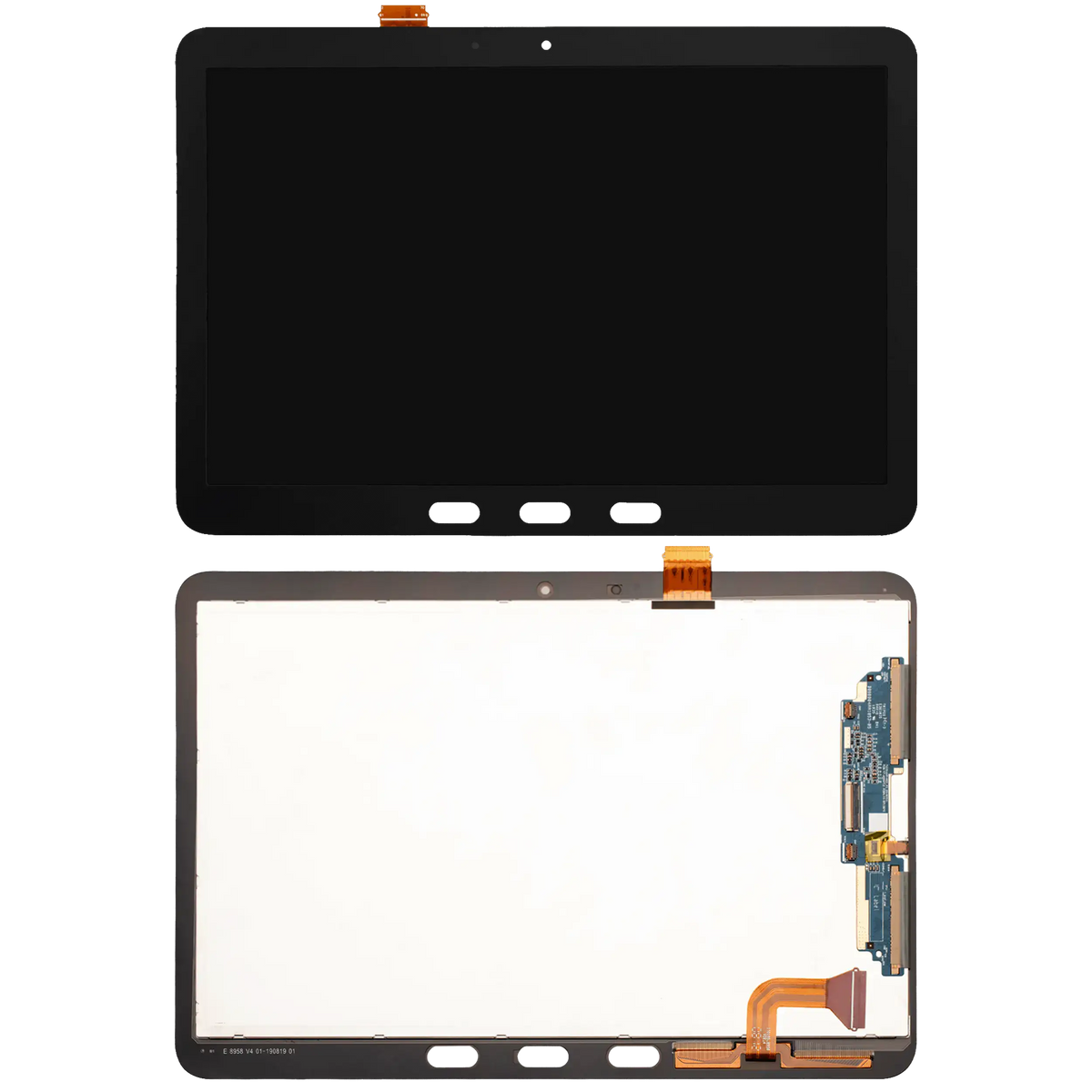
Restore vibrant visual clarity, fix dead pixels, and resolve unresponsive touch issues with this Standard High-Quality Refurbished LCD Assembly Without Frame (Black) for Samsung Galaxy Tab Active 4 Pro 10.1". Designed specifically for Samsung's rugged tablet lineup, this display restores full functionality so your device is ready for the field or the warehouse.
Component Tier: Standard (High-Quality Refurbished)
A "Refurbished" screen is highly sought after in the repair industry because it utilizes the original factory LCD panel with a brand-new outer glass lens properly bonded in a cleanroom. This guarantees you retain factory-level refresh rates, true color accuracy, and precise digitizer responsiveness that cheap aftermarket LCDs simply cannot replicate.
Standout Engineering Features
-
Original Core Panel: Features a refurbished OEM LCD display, ensuring your screen brightness and contrast remain exactly as the manufacturer intended.
-
Rugged Device Compatibility: Engineered to fit seamlessly into the specialized chassis of the 2022 Tab Active 4 Pro series.
-
Responsive Touch Digitizer: The integrated multi-touch matrix ensures flawless tracking for both finger inputs and stylus navigation.
Technical Specifications
-
Condition: Refurbished
-
Device Compatibility: Samsung Galaxy Tab Active 4 Pro 10.1" (2022)
-
Supported Model Numbers: SM-T630, SM-T636, SM-T638
-
Component Type: LCD Assembly (Without Frame)
-
Color: Black (Screen Border)
Important Installation Note
This is a "frameless" assembly. You must carefully separate your original broken screen from the tablet's housing, thoroughly clean the old adhesive, and apply fresh, high-strength pre-cut adhesive to ensure a secure bond. Always disconnect the battery before unseating or seating display connectors on the logic board.